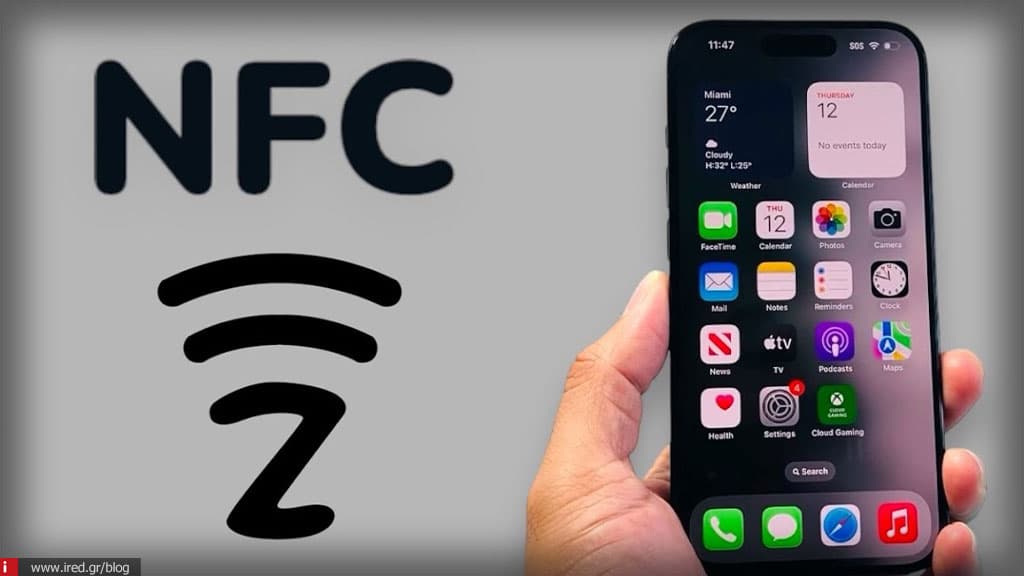
NFC on iPhone: what it is, how it works and how to use it in practice
The technology NFC (Near-Field Communication) has revolutionised the way we interact with the digital and physical world through the iPhone us.
Although many associate it exclusively with payments, its potential extends from home automation to digital keys and business applications.
In this guide, we'll look at how this technology works without complex configuration and how you can get the most out of it safely.
What is NFC on iPhone and what it does
The NFC (Near-Field Communication) is a wireless communication protocol that allows the data transfer over a very short distance, usually up to 4 cm. This limited scope is not accidental, as it is a basic safeguard to prevent accidental transactions.
You probably already use NFC every day through your NFC device. Apple Pay, which is its most widely used app, turning your iPhone into a secure digital wallet for contactless payments. In effect, the iPhone acts as a active NFC reader, capable of interacting with payment terminals and passive chips.
How NFC works on iPhone without turning it on
One of the biggest advantages of iPhone is the simplicity in the use of NFC, as no manual adjustment or "switch" activation is required. From the iPhone 12 and beyond, the NFC is always active and ready to use at any time.
Plus, from iPhone 11 onwards, iPhone 11 supports background tag reading, which means that the device can recognise an NFC tag just by touching it, as long as the screen is open, without having to open a special app.
Η NFC antenna is located in the upper part of the device, so for optimal results, it is enough to bring the top of your iPhone close to the point of contact.
NFC payments on iPhone: Apple Pay and new features
Payments remain the core of NFC technology. The Apple Pay offers top security using tokenization (replacement of card details with unique codes) and biometric verification via Face ID or Touch ID.
In 2026, the capabilities are expanded with Tap to Pay, which allows even small businesses to accept payments directly on their iPhone without additional POS equipment. At the same time, the Tap to Cash facilitates transactions between friends, allowing peer-to-peer money transfer with a simple touch of two iPhones.
NFC Tags on iPhone: what they are and what you can do
In addition to payments, iPhone can interact with NFC tags (stickers or cards). These tags are passive, meaning they don't need a battery, as they draw power from your iPhone during contact.
To work, they must first be encoded (programmed), for example containing a URL or a command. Since iOS 13, the iPhone has the ability to not only read but also writes on such tags.
An interesting use is the app clips, which can be activated via NFC to use a service (e.g. skate rental) without downloading the whole app.
Automation with NFC & Shortcuts on iPhone
For tech-savvy users, NFC is the key to the ultimate automation of everyday life through the app Shortcuts (Shortcuts). You can place NFC tags in strategic locations (e.g. on the bedside table or in the car) and program them to perform complex actions.
With a simple touch, iPhone can change Wi-Fi settings, launch a specific music list or control devices HomeKit (e.g. to turn off the lights), without having to open any applications.
Digital keys & tickets via NFC on iPhone
The apple wallet acts as a secure "container" for much more than credit cards. Via NFC, you can store digital keys for your home, office, hotel or even your car.
Particularly useful is the function express transit card, which allows the use of the iPhone to pay for public transport tickets without Face ID or Touch ID, making the passage through the cancelling machines very fast.
Read also: iCloud backup in 2026: what is NOT saved anymore if your iPhone breaks down
Which iPhones support NFC and what differs by model
NFC support has evolved significantly over the years:
All iPhone from 7 onwards support NFC, as long as they are running iOS 13+.
Older models (e.g. iPhone 7, 8, X) often required manual activation via Control Center to read tags.
From the iPhone 11 and beyond, the operation is fully automated in the background (background NFC).
NFC or QR Code: what to choose in 2026
Although the QR codes remain popular because they are cheap to produce, require the use of the camera and good lighting or visibility to work. In contrast, the NFC offers a much more direct and qualitative User Experience (UX), as it requires a simple touch and provides significantly greater security, making it preferable for professional use and marketing in 2026.
Myths and limitations of NFC on iPhone
It is important to know what not NFC does to avoid false expectations:
Scope: The NFC does not work remotely- almost required contact.
Connectivity: It is not intended for transferring large files and does not replace Wi-Fi or Bluetooth.
Security: Although it is extremely secure, the final security always depends on the specific use case and the way the automation is set up.
How to get the most out of NFC on iPhone
For a seamless experience, make sure that:
The iOS is updated to the latest version.
Use iPhone 11+ to take advantage of the NFC background.
The apple wallet is correctly set up with your cards and keys.
The NFC tags that you supply is correct encoded.
You have activated the necessary Shortcuts.
Make NFC on iPhone work for you
NFC opens up a world of possibilities that go far beyond simple payments, improving productivity and convenience in your everyday life. If you want to properly set up payments, NFC tags or automation on your iPhone without trial and error, beyond ired for testing, setup and guidance from qualified technicians.
FAQs: frequently asked questions about NFC on iPhone
How do I turn on NFC on my iPhone?
On modern models (iPhone 12 and later), NFC is always active and does not require any settings.
Which iPhones support NFC tags?
All models from iPhone 7 onwards, provided they have iOS 13 or later.
Are NFC and Apple Pay safe?
Yes, it is extremely secure due to the short range and the use of tokenization and biometric identification.