AppleChromecast and iPad: The ultimate guide to connecting and using them.
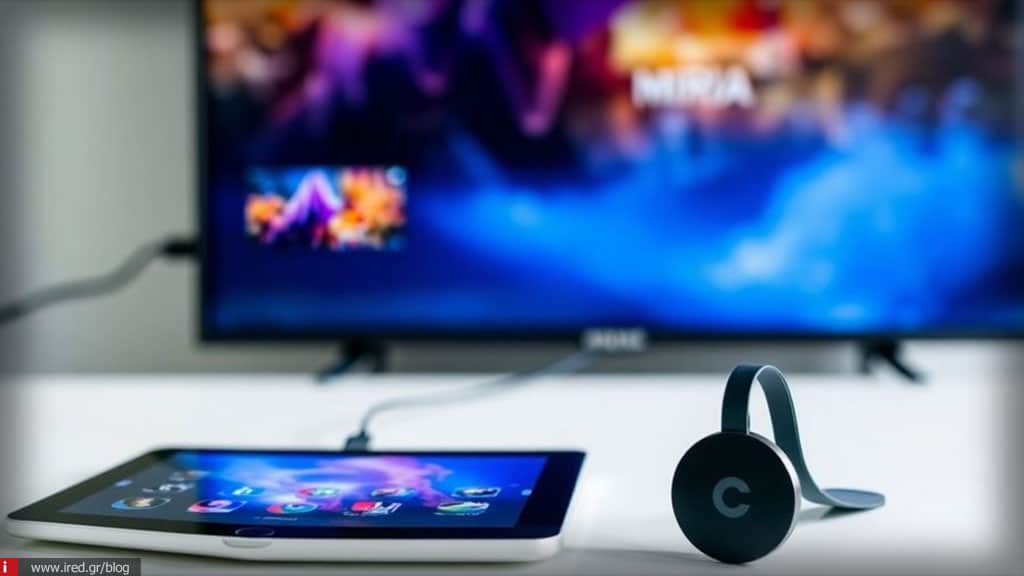
Chromecast and iPad: In this article, we will analyse how this connection works and which apps support it.
15 May 2026 · 5 min read


50 Ioulianou
211 212 0403

Lamias & Palaistinis, at Sklavenitis
211 016 8952

131 Marathonos Ave., at Sklavenitis
211 016 8953

131 Vouliagmenis Ave.
211 212 0401

54 Syntagmatarchou Davaki
211 212 0406

Aithrio, 40 Agiou Konstantinou
211 212 0402

152-156 Filolaou
210 754 6074

126 Grigoriou Lambraki
211 212 0404

46 Aimiliou Veaki
211 212 0407

6 Eleftheriou Venizelou
22941 12199

6 Pentelis Ave.
211 212 0409

56 Perikleous Ave.
211 212 0408

180-182 Olympionikon
211 212 0405

29 P. Patron Germanou
231 123 0026

115 Agiou Andreou
261 162 5236
Looking closely at Catalina's new features, we realise Apple keeps the unique features of macOS while trying to merge the capabilities of all its devices so they work together and offer the best possible user experience. Although some of the apps are the same across all of Apple's operating systems, there are four key features that set them apart. They are now flexible, extensive, capable and focused on the software they serve, going one level deeper and giving creators (developers, designers, artists) the chance to make the most of the capabilities of all Apple devices.
Read also: macOS Catalina | Now available to the general public, see which Macs support it!
SwiftUI
Catalina also introduces for the first time the new SwiftUI, an innovative and simple way to build interfaces across all Apple platforms at once. It is designed to speed up developers' work, and through its set of tools and APIs it makes reading and writing code easier. The new Xcode design tools keep code and design in sync. Automatic support for Dynamic Type, Dark Mode, localisation and accessibility means your code will now be more powerful than ever.

Apple has also improved the Apple ID by placing it at the top of System Preferences, to make it easier to access and manage iCloud settings and all the other information linked to your Apple ID, including two-factor authentication and the phone numbers you can use to verify a new account sign-in, payment for your subscriptions, apps and more. You can also see all the devices associated with your Apple ID, the Apple Pay accounts set up on each one and a “Find My” link for each of your devices.

One of Catalina's most anticipated new features is iCloud folder sharing, similar to Dropbox and Google Drive. This feature isn't available yet, but it is noted that it will be released soon in an update later in the autumn.
Catalina means the end of 32-bit apps or 32-bit installers that haven't been updated to run as 64-bit. Apple has warned its developers for years that 32-bit code would stop working, so most apps have already been updated.
If you still use an old version of an app that doesn't update automatically through the App Store, you may need to upgrade, since apps that only support 32-bit software are ancient. Some users may express their displeasure and disappointment at this change, but it had to happen, since the development of future processors and operating systems depends on it.
Read also: Apple will discontinue the 15-inch MacBook Pro
In Catalina, the partitioning of your hard drive changes to create a separate read-only partition, apart from the partition where all your data is stored. This helps protect the core of your system software so that no malicious or faulty software can interfere with it. This feature is an extension of the original idea of System Integrity Protection, which Apple first introduced in OS X 10,10 El Capitan.
So in Disk Utility you can see that the size of your storage has changed and two partitions have now been created, one read-only and one Read/Write Data, where all the apps you install and all your data are stored.

Read also: The best new features and functions coming with macOS Catalina!
APFS lets you create a new volume on your existing drive! This lets you install Catalina on a new volume of your drive without overwriting your already installed operating system (Mojave). This lets you use both systems on your computer and choose which one to start up from when you turn on the Mac. In this case it is important to bear in mind that using multiple versions of macOS requires more space on your drive, and that each one has to be updated separately to the latest operating system version.
One of the reasons you may want to do this is if you are worried that Catalina isn't compatible with your older apps, or if you have some other reason you need to use an older version of the Mac system. Apple recommends this as an option for users who want to stay in the beta programme and keep some updates separate from their normal operating system.
Users who want to install Catalina in place of their existing software shouldn't face any problems, as they save themselves the trouble of having to delete the previously installed software or wasting about 20GB of their storage, plus any other duplicate information that remains from installing a second system.
Read also: MacBook update: MacBook Air and MacBook Pro refreshed!
Apple has struggled for years to attract video game developers to create games for its software. Apple Arcade promises to change gaming on the Mac! These aren't simple games like those on the iPad, but games coming from iOS, specially adapted for macOS to benefit from more memory, a bigger display and higher GPU performance. Apple Arcade lets its users move effortlessly between their devices with greater flexibility.
Apple stresses that Arcade games will be free and don't include (or require) in-app purchases. All game features and updates for all titles in the library are included in the $4.99 subscription price. Subscribers can play online and offline, and one subscription can be used by up to six different family members.
Play-time limits can also be set through Catalina's new Screen Time app, as well as filters for the games allowed for each user according to their age or other criteria.
A very important feature is wireless controller compatibility in both iOS 13 and macOS Catalina. Sony's PlayStation DualShock 4 and Microsoft's Xbox wireless controllers are supported.

Read also: Apple's new plans to replace OLED displays with mini-LED
Another innovative idea from Apple that arrived with macOS Catalina is “Reality Composer”, Apple's new app for designing and creating augmented reality worlds. The app can also be used to produce 3D effects, interactive presentations and views of objects from different angles, as well as to create animations and object interactions.

Just because Apple is bringing iOS features, including Catalyst for iPad apps, doesn't mean it is giving up on apps designed exclusively for the Mac; the company has made it clear it has invested heavily in the technical design of the new Mac Pro to ensure excellent performance in different uses, such as video and photo editing, as well as other tasks.
Apple aims to make all its computers, the iMac 5K, iMac Pro, Mac mini and MacBook Pro, capable of handling the most complex tasks.
Read also: Everything we expect from Apple's October presentation
Chromecast and iPad: In this article, we will analyse how this connection works and which apps support it.
iPad full: Here is a detailed guide on how you can manage your files, depending on your needs.
iOS 26,4,2: Its release is an example of the company's commitment to the security and stability of its devices.