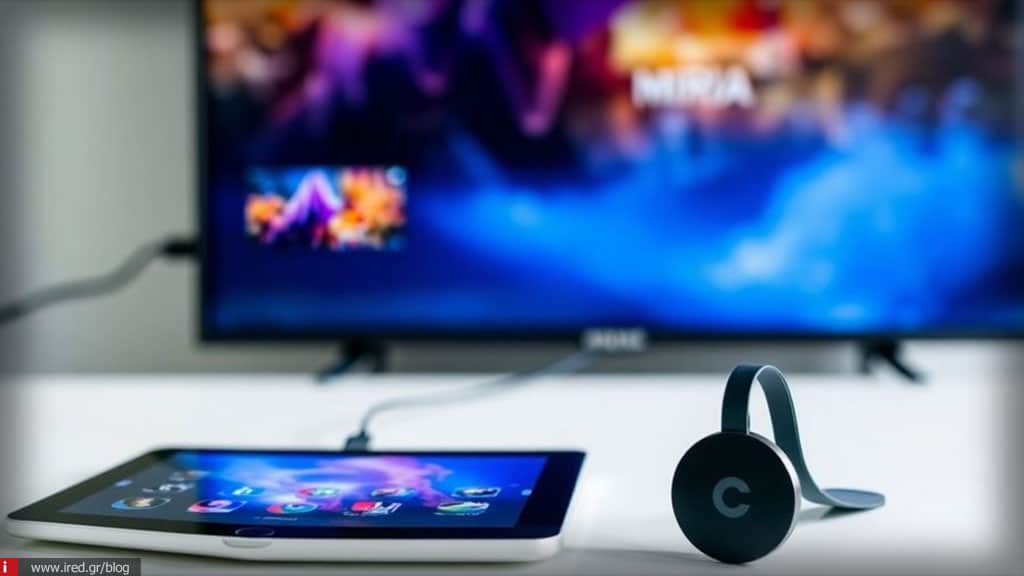
AppleChromecast and iPad: The ultimate guide to connecting and using them.
Chromecast and iPad: In this article, we will analyse how this connection works and which apps support it.
15 May 2026 · 5 min read


50 Ioulianou
211 212 0403

Lamias & Palaistinis, at Sklavenitis
211 016 8952

131 Marathonos Ave., at Sklavenitis
211 016 8953

131 Vouliagmenis Ave.
211 212 0401

54 Syntagmatarchou Davaki
211 212 0406

Aithrio, 40 Agiou Konstantinou
211 212 0402

152-156 Filolaou
210 754 6074

126 Grigoriou Lambraki
211 212 0404

46 Aimiliou Veaki
211 212 0407

6 Eleftheriou Venizelou
22941 12199

6 Pentelis Ave.
211 212 0409

56 Perikleous Ave.
211 212 0408

180-182 Olympionikon
211 212 0405

29 P. Patron Germanou
231 123 0026

115 Agiou Andreou
261 162 5236
Apple has finally released iOS 15,4 to all users! With the new update comes a very important new Face ID feature we have been waiting for for quite a while. Users can now unlock their iPhones while wearing a mask. However, it is important to mention that this feature is available on the iPhone 12 and newer models. The company hasn't explained why owners of the iPhone X, XR, XS and 11 can't benefit from the new update.
Read also: Apple has released the sixth beta of macOS Monterey
Once you complete updating your iPhone to iOS 15,4, a pop-up window will appear explaining the new feature of using Face ID with a mask. However, although this new feature is offered to users, Apple says Face ID is more accurate and secure when set up for full-face recognition. To use Face ID while wearing a mask, the iPhone can only recognise the features around the eyes to verify your identity.
Read also: Apple presented two new MacBook Pros
The feature is also available for verifying access to third-party apps and Apple Pay. You can also use it with prescription glasses, but it doesn't support sunglasses.
How to turn on Face ID with a mask?

Once you complete the installation of the new update on the iPhone 12 and 13, you will see a pop-up screen to set up the Face ID with a mask feature.
If you chose to skip this, you will need to go to Settings > Face ID & Passcode > Use Face ID with a Mask
Then follow the steps to register your face (you don't need to wear a mask during the process)
If you wear glasses, you will be asked to take them off for the first face scan, and once it is complete, tap the button that says Add Glasses below the completion screen.

Read also: The OtterBox folding stand for MagSafe chargers is out
Adding this feature is certainly something that will improve daily life for iPhone users, although it leaves users of the slightly older models disappointed, as we don't yet know why they can't use it and whether this will change in future updates.
Chromecast and iPad: In this article, we will analyse how this connection works and which apps support it.
iPad full: Here is a detailed guide on how you can manage your files, depending on your needs.
iOS 26,4,2: Its release is an example of the company's commitment to the security and stability of its devices.